If you want to download TikTok subtitles as SRT, VTT, or TXT, start by separating three different needs: saving the video, extracting the spoken words, and exporting timed captions. A normal TikTok downloader gives you an MP4 or audio file when the public source is available. A subtitle workflow turns speech or existing captions into text files that editors, translators, and content teams can reuse.
This article is not another MP4 or MP3 guide. If you only need the video, use the TikTok to MP4 converter. If you only need sound, use the TikTok MP3 downloader. If your real goal is captions, transcript, translation, SRT, VTT, TXT, or editing notes, the workflow below is more useful and avoids the common mistake of expecting every video download tool to create subtitles automatically.
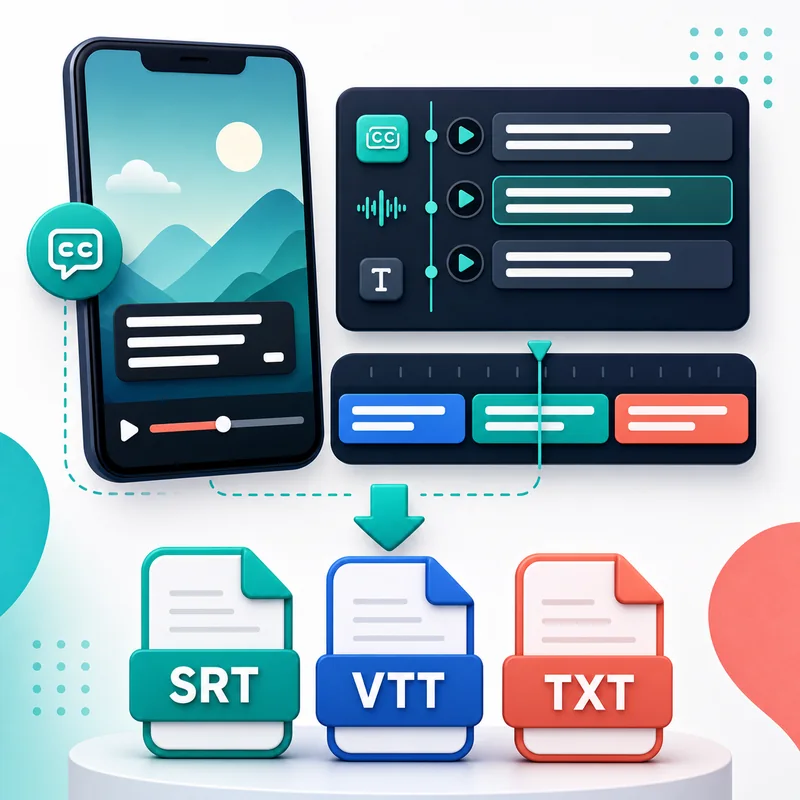
Quick answer: what is realistically downloadable?
There is no single universal rule. Some TikTok videos have visible captions or auto captions. Some have burned-in text that is part of the video image. Some have clear speech but no subtitle file exposed. Others use music, background noise, multiple speakers, or slang that makes automatic transcription harder. That means your path depends on what the source video actually contains.
In practice, you have four options: use native captions if they are available, create an AI transcript from the audio, import the MP4 into a video editor with auto-caption features, or manually type and clean the text. SRT and VTT are timed caption formats. TXT is plain text. A good workflow lets you choose the format that matches your next step instead of pretending all captions are the same thing.
Captions, subtitles, transcript, SRT, VTT, and TXT
| Format or term | What it means | Best use |
|---|---|---|
| Caption | Text shown with the video, often for accessibility or silent viewing | Watching and editing short videos |
| Transcript | Plain written version of spoken words | Research, notes, scripts, blog drafts |
| SRT | Timed subtitle file with start and end timestamps | CapCut, Premiere, Shorts, Reels workflows |
| VTT | Web subtitle format used by many web players | Web video and publishing systems |
| TXT | Untimed plain text | Translation, rewriting, summaries, content planning |
Workflow 1: use captions that already exist
If the TikTok video already has captions, your first job is to identify whether those captions are real text or burned into the video image. Real text may be accessible to some tools or transcription workflows. Burned-in captions are just pixels inside the video, so extracting them is closer to OCR or manual cleanup. They can still be useful, but they are not the same as a clean SRT file.
When native captions are available, review them before reuse. Auto captions can miss names, product terms, slang, numbers, and fast speech. A clean caption file should be readable on a phone screen, split naturally across lines, and timed to the speaker. Do not publish a raw auto-caption export without checking it. Small mistakes can change the meaning of a short video very quickly.
Workflow 2: create a transcript from audio
When the video has speech but no usable subtitle file, create a transcript from the audio. If you need the source first, save the public MP4 with ClipTool, then import it into your transcription or editing tool. If the audio source is available separately, the TikTok audio downloader can help you keep a lighter reference file for transcription or review.
Audio quality matters. Clear speech in a quiet room usually transcribes well. Loud music, overlapping speakers, heavy accents, background noise, or clipped audio can produce messy text. For important work, use AI transcription as a first draft, then listen through once and fix names, punctuation, timestamps, and any line that sounds unnatural.
Workflow 3: generate SRT or VTT in an editor
Video editors are often the easiest way to turn a TikTok clip into timed subtitles. Download the public MP4, import it into CapCut, Premiere, DaVinci Resolve, Descript, or another editor, then use the auto-caption feature if available. After the editor creates captions, export SRT or VTT if the tool supports it. This is especially useful when you are preparing captions for YouTube Shorts, Instagram Reels, or a client review.
Create captions after the edit is close to final. If you cut the first three seconds after generating SRT, every timestamp can become offset. If you change speed, trim pauses, or move clips around, regenerate or retime the captions before exporting. A subtitle file that is technically valid but out of sync is worse than no subtitle at all.
Workflow 4: use TXT for research and rewriting
You do not always need SRT. If your goal is to study a hook, rewrite a caption, summarize a tutorial, translate a script, or turn a short video into a blog outline, TXT may be the best format. It is easy to paste into docs, spreadsheets, AI writing tools, or a content calendar. You can remove timestamps, mark the hook, highlight examples, and write your own version from the structure.
TXT is also better for teams that review many videos quickly. A social strategist can scan transcripts faster than replaying every clip. An editor can mark the exact lines that need subtitles later. A translator can rewrite the meaning naturally instead of forcing a word-by-word version that sounds stiff on screen.
How ClipTool fits into a subtitle workflow
ClipTool helps at the source stage. It can save supported public TikTok videos as MP4, extract available audio when TikTok exposes it, and handle related media workflows such as HD downloads or photo posts. It does not magically create an SRT file from every TikTok link. That distinction matters because it keeps expectations honest.
A practical workflow looks like this: copy the public TikTok link, download the MP4 through Download TikTok HD or the MP4 converter, import the file into your caption or transcription tool, export SRT, VTT, or TXT, then clean the result. If the source is a photo slideshow rather than a talking video, the photo vs video downloader guide will help you choose the right starting point.
Translation tips for Shorts, Reels, and CapCut
Translate subtitles for meaning, rhythm, and screen readability. TikTok speech is fast, casual, and full of slang. A literal translation can feel robotic or too long for a mobile screen. Keep each line short, preserve the joke or hook when possible, and cut filler words if they slow down the caption. The viewer should be able to read the line before the next cut.
If you are translating SRT, keep the timestamp structure intact. Edit only the text line unless you know how to retime captions. If you translate into a longer language, split long sentences into shorter segments. Always preview on a phone-sized screen before exporting the final video. Captions that look fine on desktop can cover faces, products, or important UI details on mobile.
Common subtitle problems and fixes
- No captions available: create an AI transcript from the MP4 or audio instead.
- Bad transcript accuracy: reduce background noise if possible and manually correct names and jargon.
- Wrong timestamps: regenerate captions after trimming or retime the SRT inside your editor.
- Lines are too long: split them into shorter mobile-friendly captions.
- Only burned-in text exists: treat it as visual text, not a clean subtitle file.
- Audio is missing: check the MP4 first, then read the TikTok MP3 download guide for audio-specific limits.
Quality checklist before exporting captions
Before you treat a subtitle file as finished, preview it from start to end. Check speaker names, product names, numbers, dates, slang, and any line where the speaker talks over music. Make sure the first caption appears when the voice starts, not half a second late. On short-form video, even a tiny delay can make the caption feel disconnected from the cut.
Next, check visual placement. Captions should not cover faces, hands, products, recipe steps, price tags, or important UI details. If the video will be reused on Reels, Shorts, or another vertical feed, leave room for platform buttons and captions near the bottom edge. A subtitle file is not just text. It is part of the viewing experience, so readability matters as much as accuracy.
A simple team workflow
For teams, save the public TikTok URL, downloaded source file, transcript, caption export, and final edited video in the same project folder. Use clear names such as source.mp4, transcript.txt, captions-reviewed.srt, and shorts-final.mp4. That small habit prevents duplicate work when an editor, translator, or client asks which version was approved.
Copyright and reuse guidance
Subtitles are still creative content. Downloading a transcript for private study, accessibility review, translation practice, or your own content archive is different from copying another creator's script and reposting it as your work. If you plan to publish, advertise, train a team, or repurpose someone else's words, ask for permission or rewrite from your own experience.
For creators and brands, the safest approach is to use transcripts as research material. Study the structure, not the exact wording. Notice the hook, problem, proof, example, and call to action. Then build a new script with your own product, voice, evidence, and visuals. That gives you the benefit of learning from short-form content without creating a copyright or trust problem.
FAQ
Can I download TikTok subtitles as SRT?
Sometimes. If captions or clear speech are available, you can create or export an SRT through a caption or editing workflow. Not every TikTok link exposes a ready-made subtitle file.
Is SRT better than TXT?
SRT is better when you need timed subtitles for a video editor or player. TXT is better for reading, translating, rewriting, summarizing, or planning content.
Can ClipTool extract subtitles directly?
ClipTool is mainly for saving supported public TikTok media such as MP4, audio, and photo posts. Use it to get the source file, then use a caption or transcription tool for SRT, VTT, or TXT.
What if the TikTok video has no captions?
Use the audio or MP4 to create an AI transcript, then proofread it. Accuracy depends on speech clarity, background noise, language, and speaker overlap.
Can I translate TikTok subtitles for reposting?
You can translate for personal use or your own content workflow, but do not copy another creator's script for public reposting without permission. Rewrite with your own angle and voice.
Need the source video first? Save the public clip with the TikTok to MP4 converter, then create the subtitle file in your editor or transcription tool.
![How to Download Liked TikTok Videos at Once: Favorites, Collections & ZIP [2026]](/_next/image?url=https%3A%2F%2Fr2.cliptool.app%2Fblog-thumbnails%2Fhow-to-download-liked-tiktok-videos-at-once_800.webp&w=828&q=75)
![How to Save TikTok Drafts to Your Phone, Camera Roll & Files [2026]](/_next/image?url=https%3A%2F%2Fr2.cliptool.app%2Fblog-thumbnails%2Fhow-to-save-tiktok-drafts-without-posting_800.webp&w=828&q=75)
![TikTok Save Video Button Missing? 7 Fixes [2026]](/_next/image?url=https%3A%2F%2Fr2.cliptool.app%2Fblog-thumbnails%2Ftiktok-save-video-button-missing_800.webp&w=828&q=75)